Your order and receipt
Live progress with every transaction, a receipt to share, the token or PINs, and the button to take your money back.
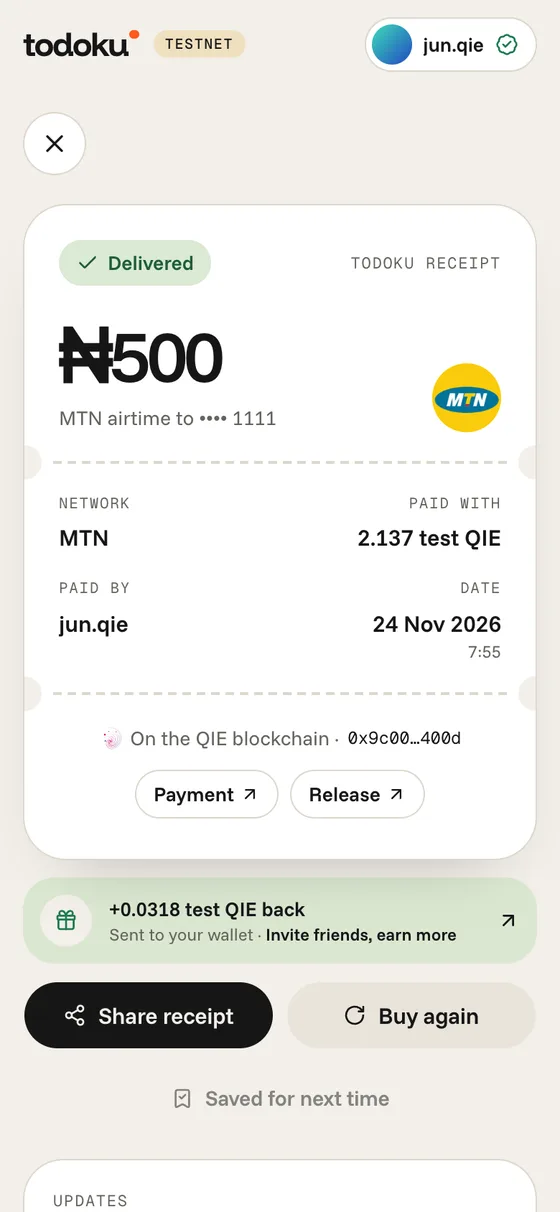
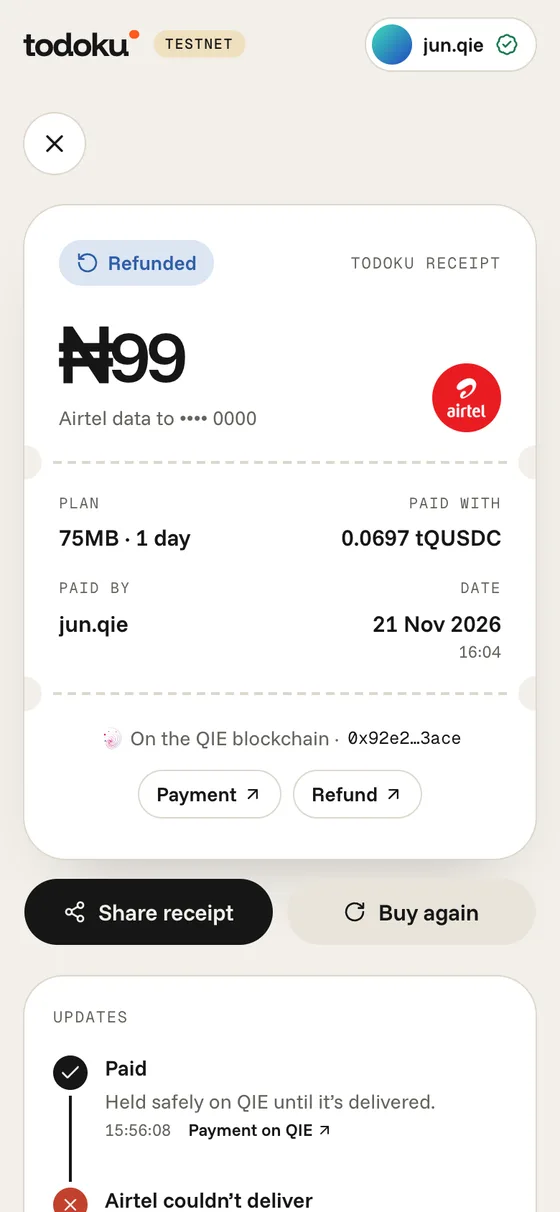
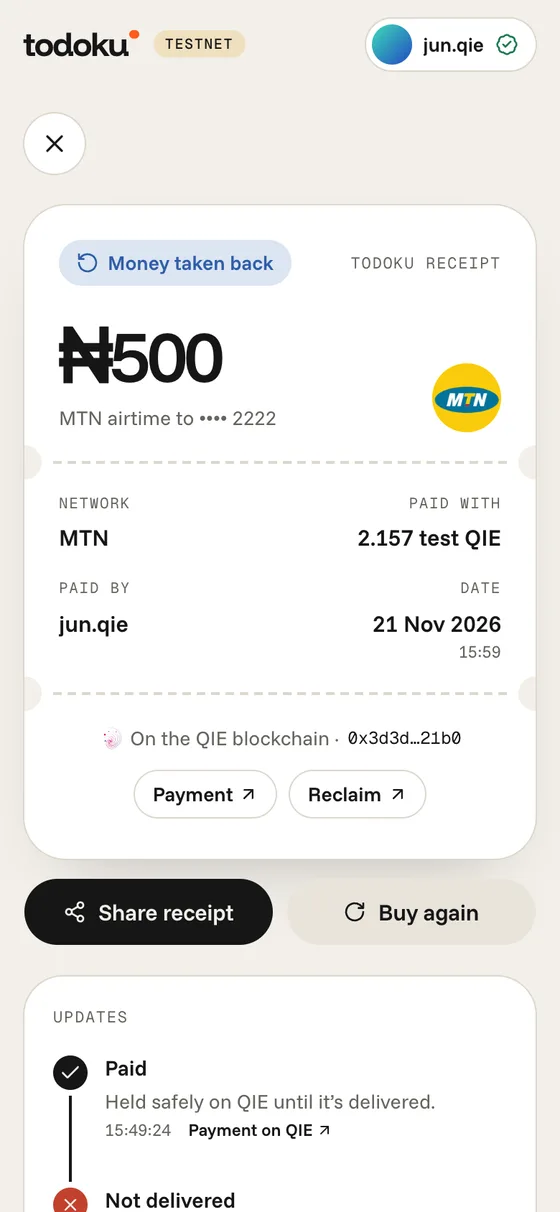
While it runs
The page refreshes every 2 seconds until the order settles. You can leave; Todoku finishes it for you. Updates shows three steps:
- Paid: "Held safely on QIE until it's delivered", with the payment transaction.
- Delivered by MTN, or "Sending to MTN", or "Taking longer than usual", or "MTN couldn't deliver" with the reason.
- Done: "The payment was released on QIE", or "Refunded to your wallet: back in QUSDC, automatically", or "You took your money back".
The receipt
A ticket with the outcome, the amount, the network or plan or meter, what you paid with, who paid, the date, the order's id on QIE, and links to the Payment, Release, Refund or Reclaim transactions. Share receipt shares the public receipt; Buy again opens the same bill filled in (exam PINs open the exam screen empty); Save number keeps it for next time.
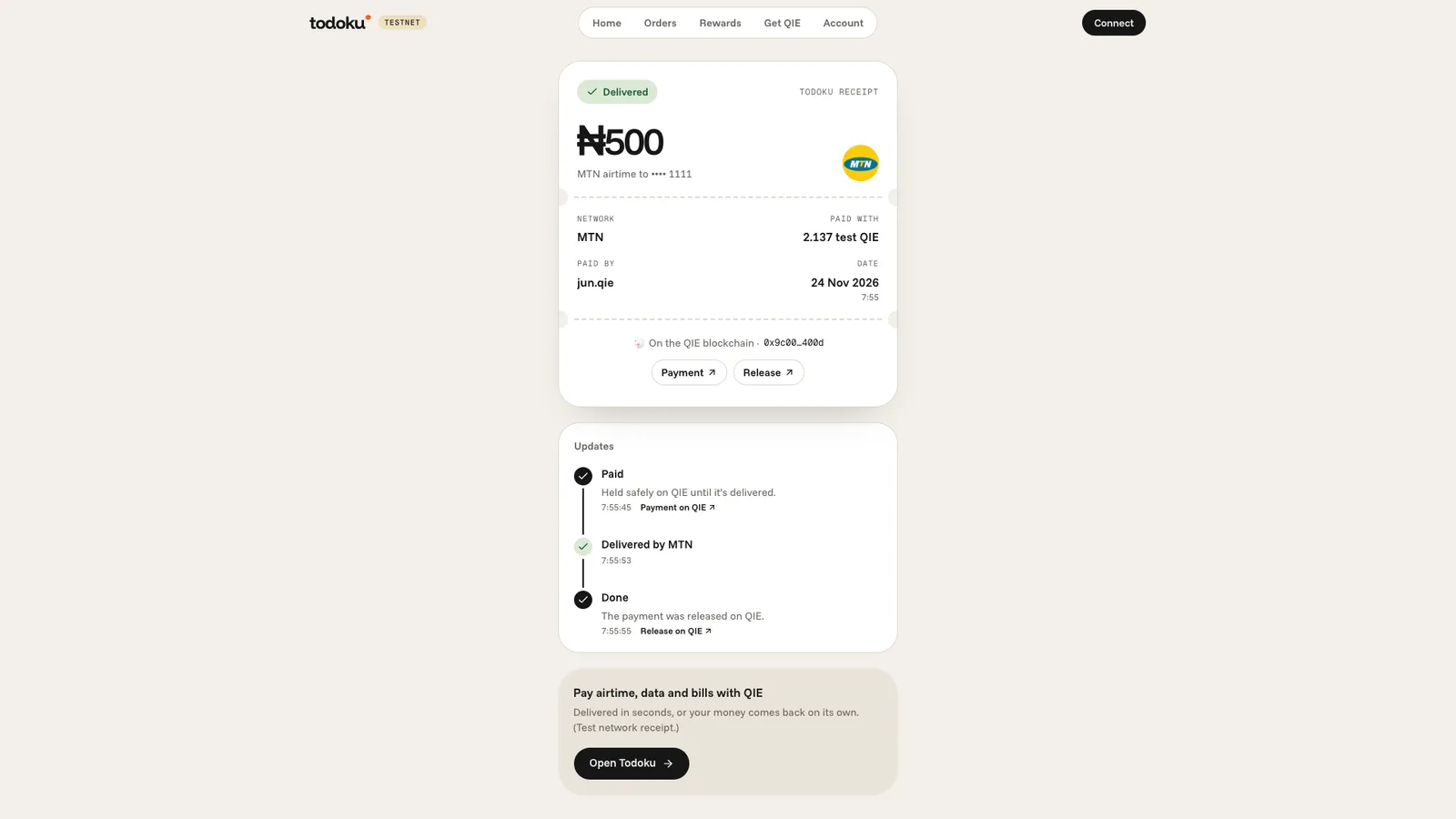
The public receipt has its own link image, and it is not indexed by search engines.
Take your money back
If an order is still held when the reclaim delay ends (planned at 24 hours on production, 10 minutes on the test build; the app reads it from the contract), the order page shows Take your money back yourself and a Take back ₦… button. It calls reclaim on the escrow from the wallet that paid, with no help from Todoku, and it works even if Todoku has paused the contract. Before the delay, a stuck order says when you'll be able to.
Something wrong?
Once paid, the payer can sign in and Report a problem: "It didn't arrive", "Wrong amount or plan", "I used the wrong number" (Todoku warns it can't pull airtime back), or "Something else". The thread sits on the order page and operators reply from the ops console. One open ticket per order.